
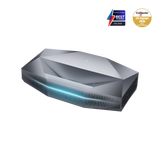
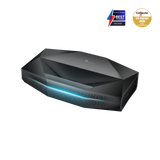




The official price is here!
 Peak performance
 Living room ready


Find the model that suits your home
Designed for different spaces and viewing habits

The advantage you can see,
feel and install


Aetherion UST (ultra-short throw) projector

television

Other UST projectors

long-throw projectors


What makes this experience so special


Gaming | ALLM


As seen on


Blog


FAQ
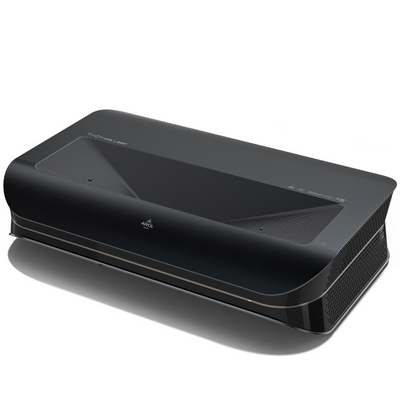
The most important difference is brightness. With 3,300 ISO lumens, Aetherion Max is the brighter flagship model and is especially suited to larger screen sizes, brighter living rooms, daytime sports viewing, and users who want maximum performance headroom. Aetherion Pro offers 2,600 ISO lumens and is a strong choice for movie nights, gaming rooms, and light-controlled home cinema environments.
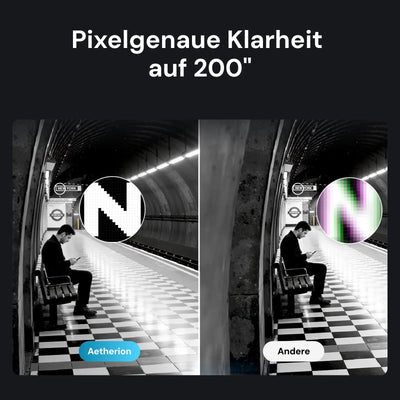
Both models share core Aetherion technologies, including 4K projection up to 200 inches, an ultra-short-throw projection ratio of 0.2:1, 6,000:1 native contrast, up to 60,000:1 perceived contrast with EBL, PixelLock™ technology, anti-RBE for 2D and 3D, and 110% Rec.2020 color gamut coverage.
Yes. Aetherion is equipped with an integrated power supply that supports a wide voltage range, allowing it to be used in different countries and regions. Based on your shipping address, AWOL Vision provides a power cord that meets the standard for your country or region. You can therefore use the projector normally at your location with the included regional power cord.
When you switch it on for the first time, Aetherion guides you step by step through the basic setup. Connect the projector to the power supply, turn it on, and follow the on-screen instructions, for example for the remote control, language or region, network connection, and other system prompts. You can then adjust advanced picture, keystone, or alignment options after the basic setup.
Aetherion Max and Aetherion Pro use a fixed 0.2:1 ultra-short-throw projection ratio and support screen sizes from 80 to 200 inches. The larger the desired image, the farther the projector must be placed from the screen. Before installation, we recommend using the AWOL Projector Calculator to check the appropriate position for your desired image size. As a guideline, Aetherion Max requires approximately 6.2 inches of distance from the wall for 100 inches, 14.3 inches for 150 inches, and 22.3 inches for 200 inches, in each case excluding the depth of the projector housing.
For the sharpest image, physical placement should always come first. Make sure the projector and screen are level, center the projector on the screen, and check the proper distance to the projection surface. If fine adjustment is still needed afterward, you can use the integrated keystone corrections. Clean physical alignment usually ensures the best result.
Yes. Aetherion Max and Pro support active 3D playback, including Side-by-Side, Top-and-Bottom, and Frame Packing 3D formats. This makes Aetherion ideal for users who want a large-scale home cinema experience beyond classic 2D content. The anti-RBE technology supports both 2D and 3D playback, ensuring a clearer, more comfortable viewing experience.
EBL stands for Enhanced Black Level and was developed to improve black depth and perceived contrast in dark movie scenes. On the Aetherion Max and Pro, the native contrast of 6,000:1 can be increased to up to 60,000:1 perceived contrast with EBL enabled, making shadow areas deeper and dark scenes more cinematic.
Aetherion’s NoirScene™ System II further improves black-level performance by combining the EBL algorithm, lens iris control, and stray light control. After setup, users can enable EBL in the picture settings.
No. The ambient light strip was designed to enhance the look and atmosphere of the projector setup without distracting from the image. If you prefer a completely dark room, the light strip can be turned off via the Lightstream setting. This makes Aetherion suitable for both stylish living rooms and dedicated home theater rooms.
External devices such as streaming sticks, Blu-ray players, game consoles, PCs, or audio systems can be connected to Aetherion via the HDMI ports or the DisplayPort. Aetherion Max and Pro feature three HDMI 2.1 ports, with HDMI 2 supporting eARC, as well as a DisplayPort for flexible home theater setups. Once connected, simply select the corresponding input source on the projector.
After setup, you can check the software version directly in Aetherion’s system settings. This is helpful for firmware updates, support requests, or to ensure that your projector is running the latest software version. If a new update is available, it will appear in the system update menu, so your projector can be kept up to date even after purchase.
The serial number is located on the physical label on the back of the projector, usually below the barcode. If the back of the projector is difficult to access after installation, you can also find the serial number in the system menu. The serial number is mainly needed for warranty registration, support requests, and service verification.
If you need further assistance, please contact us at support.eu@awolvision.com. Our customer service team will be happy to help.
Epic man caves. Real inspiration.


